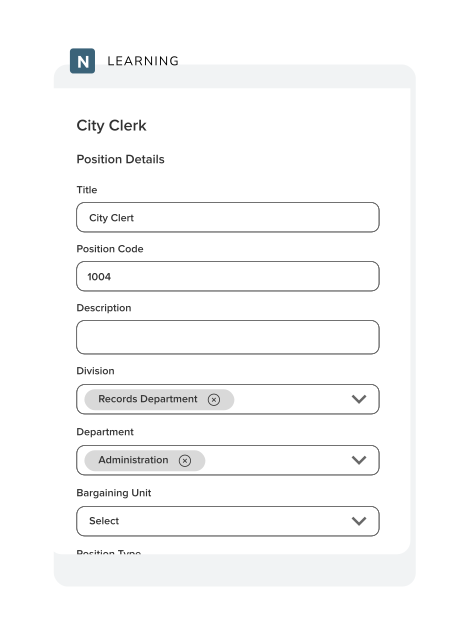
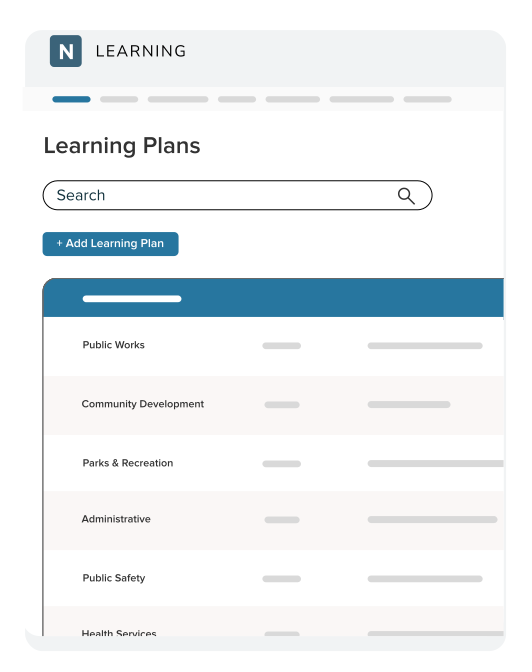
Assign required training based on department, position, hire date, or other criteria. Employees receive the learning that applies to their role without HR manually managing every enrollment.



Assign required training based on department, position, hire date, or other criteria. Employees receive the learning that applies to their role without HR manually managing every enrollment.
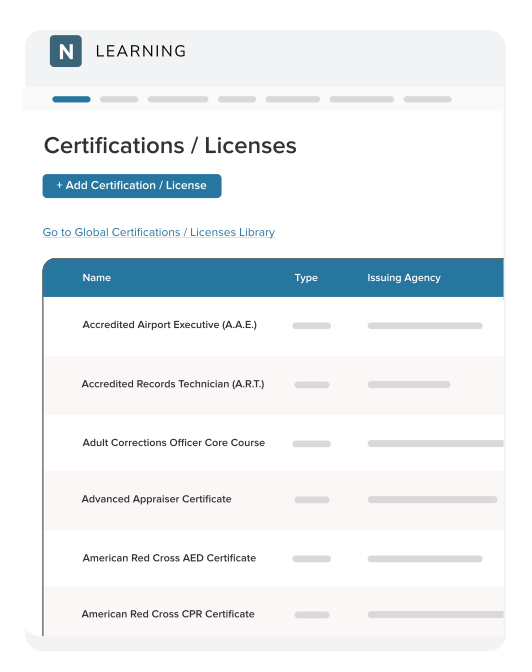
Track licenses, certifications, and other employee credentials alongside training records. Monitor expiration dates, send proactive reminders before credentials expire, and quickly identify employees who are current, approaching expiration, or overdue.
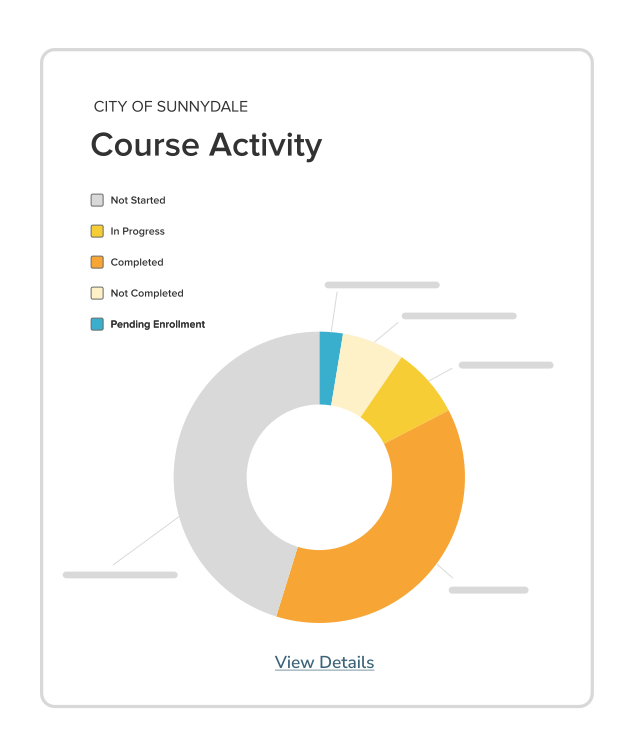
See who has completed required training, who is in progress, who has not started, and who is overdue from one centralized system. Give HR and training teams faster access to the information they need for follow-up, audits, and internal reporting.
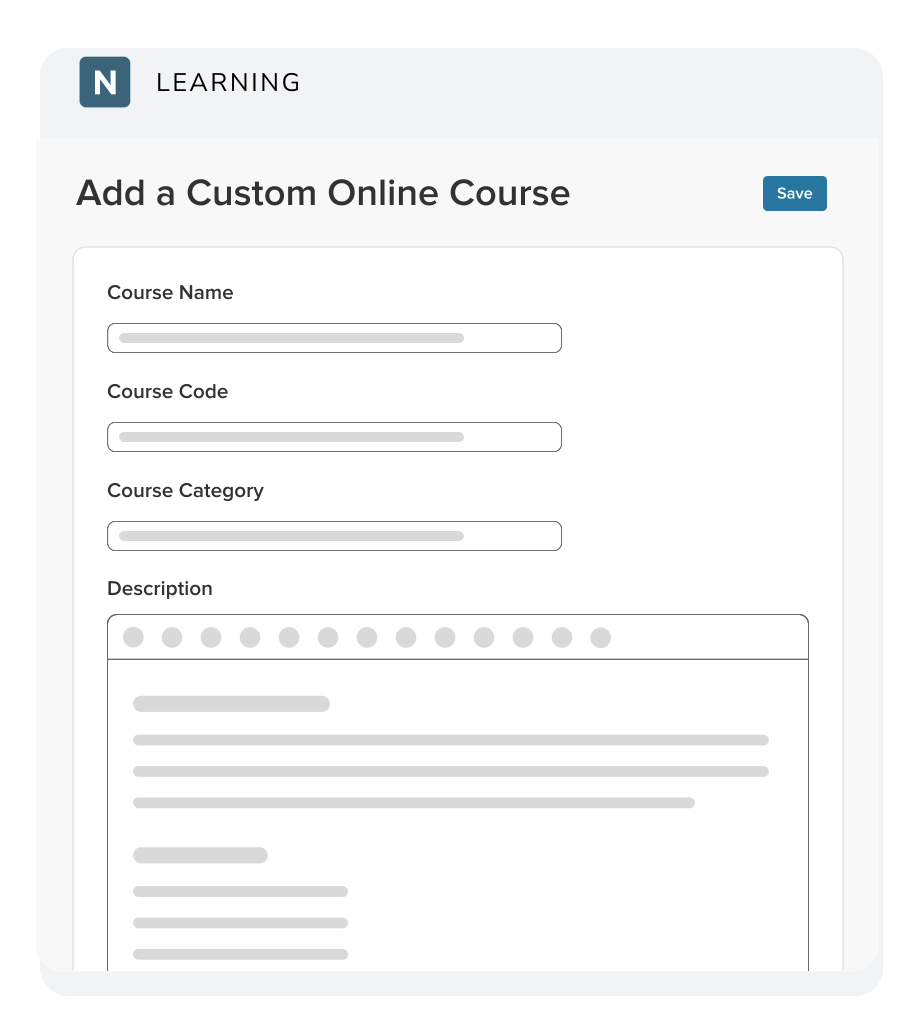
Turn your own policies, presentations, videos, documents, and subject-matter expertise into trackable employee training. Add quizzes and other learning elements, or import SCORM content.
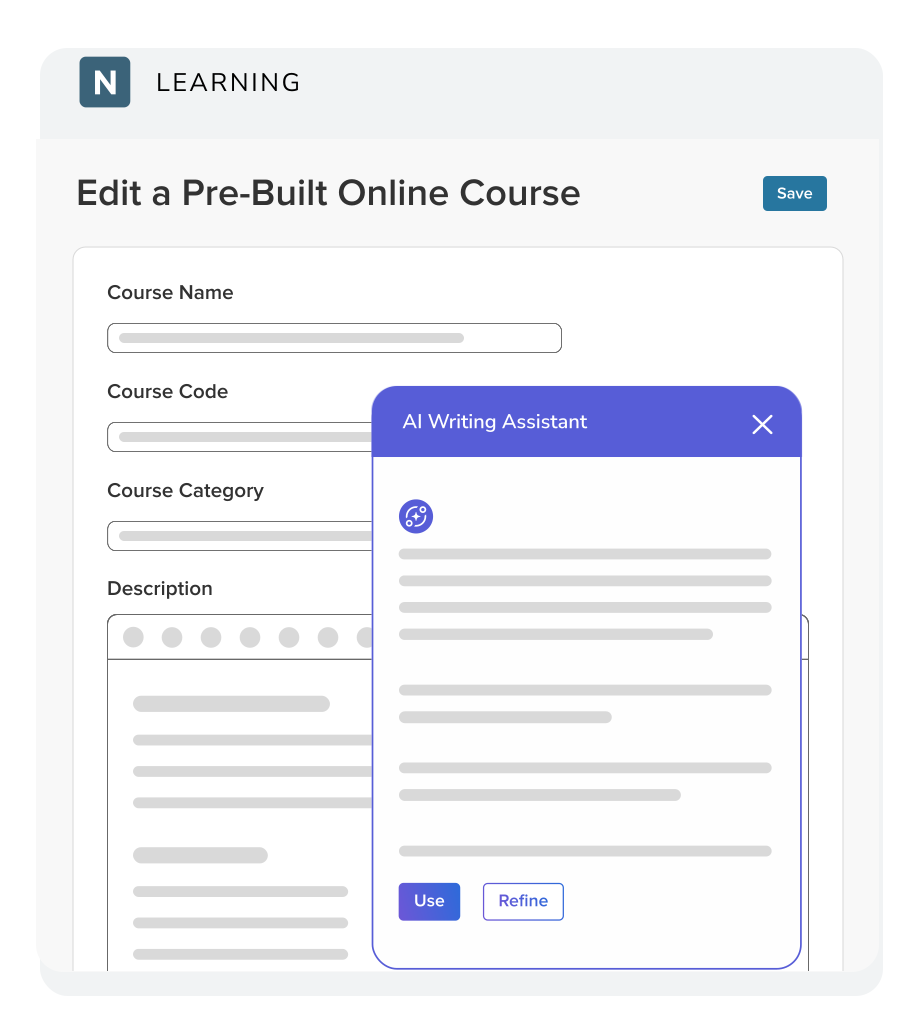
Reduce course preparation time with opt-in assistive writing tools that help draft and refine training content, organize course materials, and improve instructional copy while keeping human review in control.

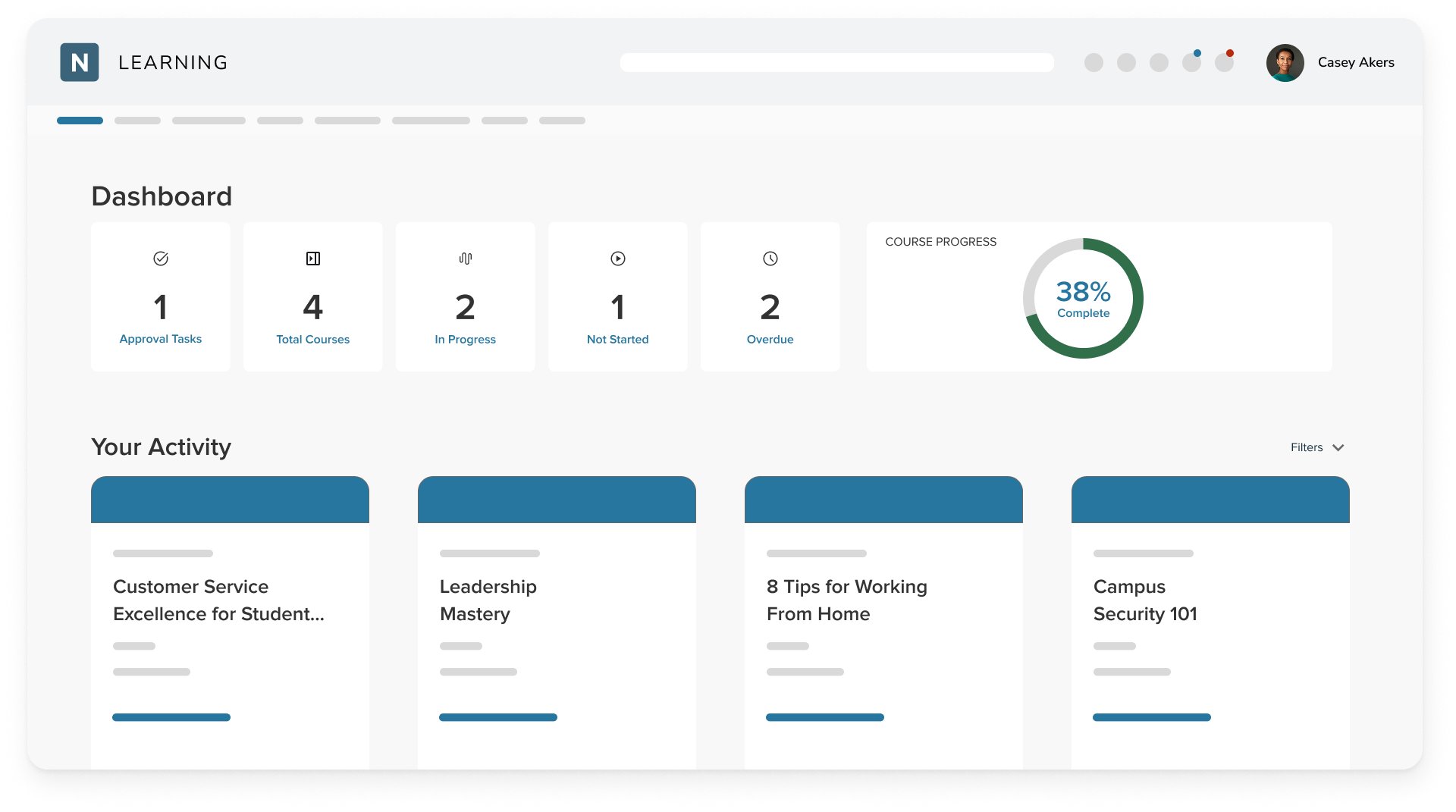
Hi, and welcome to the overview of NEOGOV Learn. Today, will see how Learn helps reduce administrative burden with a centralized learning management system built specifically for the unique needs of the public sector.
Throughout this demo, you're going to see how you can easily create, deliver, and track employee trainings. All of this is going to be done in one single platform. All of this will help you to support workforce development, compliance, and ongoing professional growth.
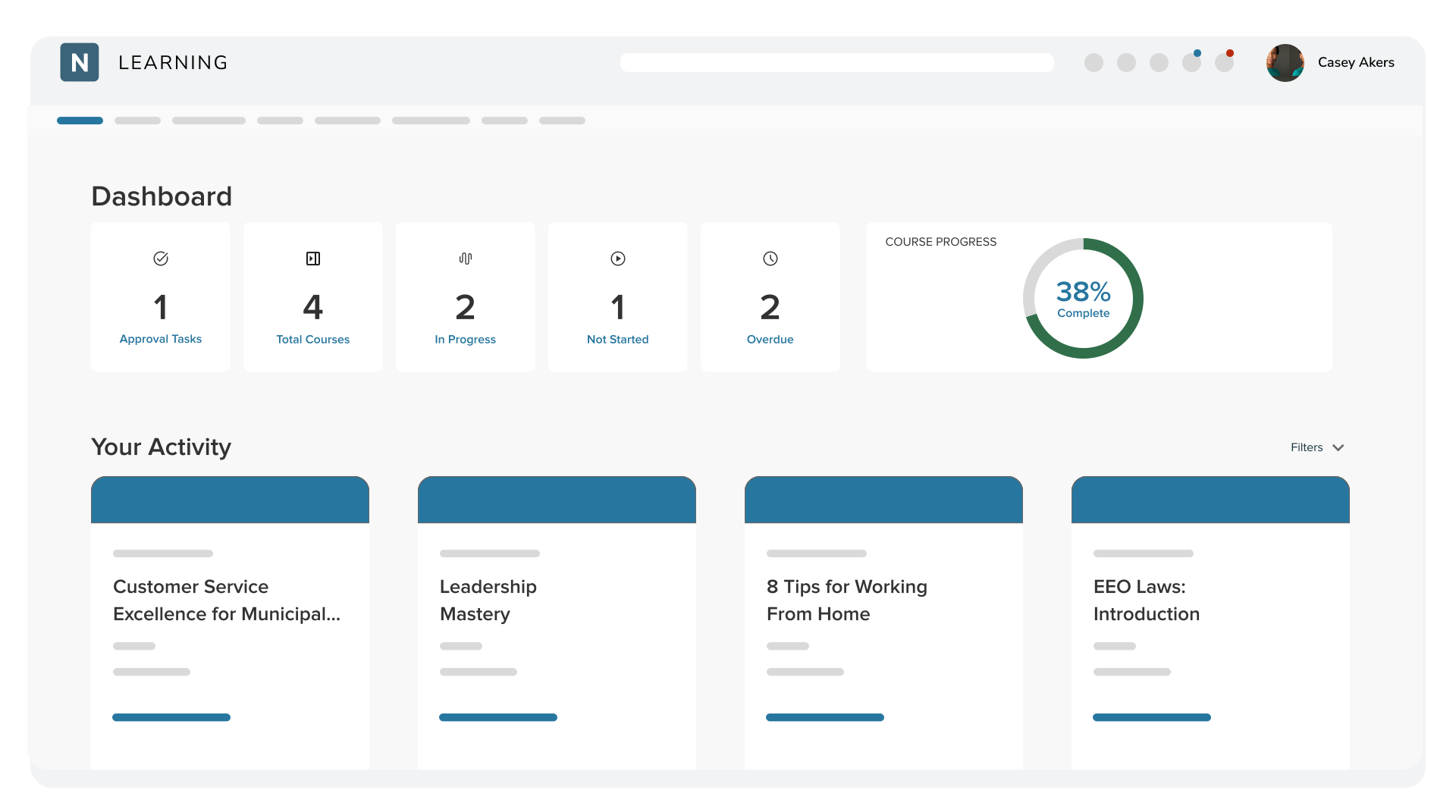
We're gonna start today by looking here at the learn training dashboard. This is on the unified self-service side of the system, so this is what your end users will see. Think employees and managers.
When they log in to this page, they're going to see their tasks on the left hand side.
This is simply a place where they can come and see any courses that they are enrolled to and take action.
Don't worry, they don't have to log into the system to see that they've been enrolled into a course. They're gonna also be receiving notification emails letting them know that they have been enrolled, and they'll be able to click on a link directly from that email to come and take those courses as well.
Learn is a three in one system, so this is going to be a place where your trainings are tracked, where they are created, and where you can also house existing content that you may have.
Let's jump into the course catalog and see what those end users are going to see when they come here to look for courses.
So you're gonna notice that at the very top, we do have a featured courses section where admin can choose to promote three courses.
It's just gonna be an easy reference place for employees to come in and see those courses that you're trying to highlight at the time.
Right below that, you're going to see an AI feature that we have in the system. Something to take note of is all AI within our product is optional. So it is gonna be up to the admin to enable that feature. If you don't want it, you simply don't have to have it. But if you choose to use it, you'll turn it on from the admin side and then it is available.
All AI within Learn is strictly within Learn. It does not go out to other systems, it is not shared. It is here within our system and used as a resource or a tool to help you in your system, not to take the place of any other functions.
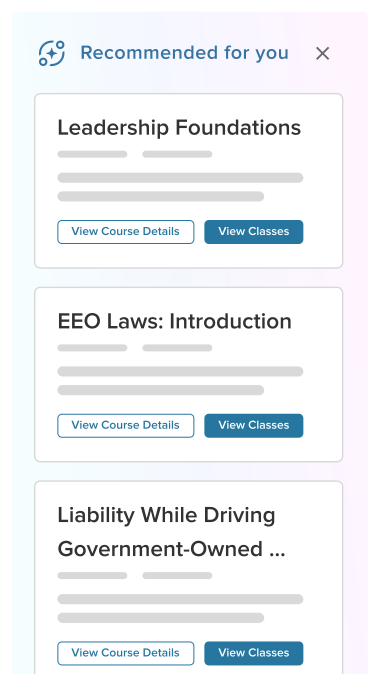
Right here for our Learn AI recommended course, we look into this a little bit more. You'll see it's going to give suggestions and let the person know why these are being recommended.
So as I hit continue, it's going to pop up three suggested courses and the recommended reason for that.
Just know that AI is looking within the Learn system to see what this person has taken previously, so their training activity. It's also looking at other people in the same position, in the same department, and pulling courses that it would recommend based on those, criteria.
As we scroll down more in this course catalog, you're gonna see that there are different filters that the individual can come in and use to help kind of narrow down that course catalog as well.
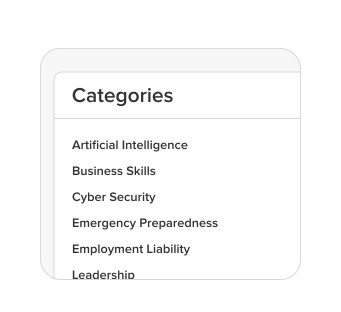
So they can search by category, by type, maybe they only have a fifteen minute break before their next meeting, and they wanna come in and take a quick course, they can come in and search for all courses under that fifteen minute mark.
What you're seeing on the screen now is what we call our course cards. This is where it lists the title, the category, the type of course, the amount of time it's expected, but you can also flip over that card and learn more. You can read the description of the course, if there's an approver on this course, and if there's a passing score requirement. So all of this is visible to that employee before they ever enroll or before admin enrolls them into a course, manager, etcetera, so there are no surprises later on when they do try to enroll into the course.
If they try to enroll into a course that has approvals on it, it's just gonna ask them if they wanna request approval. If they do, they'll select yes, and it will process. If there's not an approval process on it, it's going to immediately enroll them into the course.
Something that's really important to note here from an admin standpoint is that the NEOGOV system comes with a catalog available to you of over 1,200 courses. So from day one, you have access to courses that you can immediately push out to your employees with no other actions needed on your part.
You will also be able to build courses in the system. This includes custom content courses that you wanna build if you have content that you need to put into the system, whether it's compliance courses that you're building, or it could even be those simple everyday tasks that you wanna make sure you have a streamlined language and that everybody is getting the same thing. You can build courses and push those out to your employees as well. You're also going to be able to create and track classroom courses. So maybe you still need to hold that class in person on a Google or Zoom or Teams Meet, something like that. You will be able to also put that link into that classroom course as well.
For those custom online courses that I just spoke about, a few things to note, you will be able to add voice over to any of the course content. You'll be able to add pictures, documents, videos, links. You'll be able to add quiz questions. That is where that passing score would come from.
But lots of different, configurability within our course builder for you as admin to be able to create those courses and then have them here on this screen visible for those end users to enroll.
You are also gonna be able to put third party courses here. So if you have courses that need to be taken out of the system, you can link those here as a course, and then the employee would be able to come and access that link from here as well.
Only the courses that are published are gonna show in this section of the catalog. So just know you can be building, editing, maintaining, you know, continuously building that content on the back end side from the admin perspective, but only those courses that you want to be visible will be visible. You also can restrict visibility by department. So not everybody has to have the exact same catalog. You will have some, ability to kind of restrict what people are seeing as well.
We also have what is called learning plans.
Oops. Click into that tab, and you'll see that this is where employees can also come and register to, add a learning plan to their training. This is where you as admin can create a package or a group of courses and then push them out or again the employee come and enroll themselves into these training plans. So in these... The case that you're seeing on the screen, it may be something more, you know, generic or universal, but you can also get more specific like leadership pass, department specific trainings, things that you might need to create a learning plan for, and then it's up to you whether that specific learning plan is visible for employees to self register or if you kinda wanna hold those on the back end and only push them out from the admin side of the system.
After you have been enrolled in courses, they are going to then populate up here in the my courses tab.
As you can see here, we have a resume button, so you do not have to complete it all in one session. If you have to take a step away and come back, you will be able to come in and just click resume and pick up right where you left off. So don't think that if it's an hour long course, you have to sit down and take it in one duration. You can break it up as needed.
You're also gonna be able to come in and review any courses that you've already taken and completed.
You're gonna be able to click into that course and view the certificate of completion as well.
Just know your certificate of completion are configurable. You can create a default one for the entire system wide course, that you can apply to all courses, but you also have the ability to configure them on a course by course level as well.
We also have the ability to track certifications and licenses. So this is a big one, if you need to have any of those certs or licenses that you have to keep active. Do not let them expire in order to stay, you know, in compliance. So you can have employees enter those certifications or licenses here.
It is going to send out reminder notices when it is nearing expiration. It'll also send out notices when it has expired. You're You're gonna be able to choose who is receiving those notices as well. So maybe for a license or certification, you wanna bring in HR and the manager and more individuals, you'll have the ability to do that when you choose the recipients.
Employees will also be able to come in here and renew their certification or license after they have renewed it.
Up at the top, we're gonna go into training activity report.
This is throughout the system and it is all permissions based. So you're going to see the individuals that you have permissions to. So I'm currently logged in as a manager.
So I am able to see multiple people in my training activity. If I was logged in as an employee, I would only see myself. So just know training activity is throughout the system, even on the admin side, but it is permissions based.
You have a pie chart that's interactive. As you click the different pieces of your pie chart, your table down below is going to adjust to that data to reflect it.
You can export the information from your table and you can also change your views. So you don't have to reset filters every time you come in, you can come and select the saved view.
At this point, I do wanna hop in for a quick look at the backside in the admin. I'm gonna go up here to our app switcher, and I'm going to click into learning.
Now we are at the admin dashboard.
What I wanna do here is show you the course catalog that we have here under the course management admin catalog.
This is where all of those courses will be housed. So again, those that you're building and maintaining that I referenced earlier, they can be here and just simply not published. If they're not published, the employees will not see them on that end user side of the system.
But those that are published will be visible. So that's how you'll know whether or not this not published is across the bottom of that course card.
Again, those different course types we talked about earlier, classroom, prebuilt online, which is also for SCORM files. So if you have any SCORM file courses that you've purchased from a third party vendor or you've created with a third party authoring tool, etcetera, you're able to upload those here.
Again, where you'll build out those custom online courses and then attaching that link for third party.
I'm gonna hop into a course right here.
And I just wanna show you the ease of our, all of our courses as an admin.
So as we go into a course, you will notice that all of the courses are very similar, almost identical, and very easy to build. So they all are going to be built out with, toggles. So all of your settings in your course creations are simply just toggle on, toggle off. So very easy for the admin to come in and build out courses.
Nothing technical that you're going to have to do. You're going to be able to just come and toggle your settings. Down here at the bottom, you will be able to add surveys to your courses so you can get course feedback from the people that have completed the course. And this is also what you would be able to come in and customize those certificates of completion at the course level.
But again, just know the course build out is very similar, if not identical in every type of course, and it's all very user friendly by simply toggling the settings you wish.
From here, I wanna point out, again that training activity that we looked at from an end user perspective is also here on the admin side, but once again is visible, permissions based, interactive pie chart, adjustable table, those custom views you can save, and it is going to all be permission space. So you'll only see what you have access to see, but it is throughout the system.
Also, if you're using external learners, they are kept separate for reporting purposes and you will be able to toggle between the two here.
We do have one other area of reporting on the admin side here where we can come and review those certifications and licenses as well as that survey feedback and make sure we're staying compliant and have the information we need at our fingertips.
Last but definitely not least, we're gonna go back to that app switcher and click into analytics and reporting.
And this is where you will have the ability. It comes with the Learn system. It is part of your system, but you're gonna come and have all of those dashboards at your fingertips. We'll click into learn and you are gonna be able to see that you have dashboards that are pre configured. You'll also be able to edit those and configure them to fit your needs. You'll be able to add more. You'll be able to adjust these to get the exact information that you want.
Information's easily at your fingertips and ready to go. You have a big report that you need to, put out. You have all of this built for you, but it also really helps with your compliance tracking all ready to go.
And lastly, we do have a report builder. If you need to come and build out customized reports, very user friendly as well, nothing that IT needs to get involved in, you'll be able to come and build those.
And the nicest feature, you'll be able to export those. So you don't have to come in and remember to run those on a regular basis. You can set it to show up in your email inbox on the set cadence that you decide.
I know that was a very brief overview of NEOGOV Learn and all that the system can do.
By following these steps, your organization can reduce administrative burden by centralizing employee training in a single platform, making it easier to create, deliver, manage, and track learning while supporting compliance, workforce development, and ongoing professional growth. If you'd like to learn more about how NEOGOV Learn can support your organization, please reach out to your NEOGOV representative or visit our website at neogov.com for additional information.


Prepare new hires for day one with organized onboarding tasks, forms, and required activities that help employees get up to speed faster.

Support employee growth with structured evaluations, goals, feedback, and development conversations that help managers and employees stay aligned.



Find more qualified candidates for hard-to-fill government roles without adding unnecessary sourcing work.

Manage public sector recruiting workflows, reduce time-to-hire, and create a more candidate-friendly application experience.

Put your open roles in front of qualified job seekers with the #1 public sector job board.

Reduce lengthy, manual background investigation workflows for public safety applicants.

Give new hires the information, tasks, forms, and resources they need to prepare for their roles.

Centralize employee training, track completion, and support ongoing professional development.

Manage ongoing feedback and evaluations in one place for more consistent performance processes.

Connect Core HR, benefits, payroll, and time and attendance around a centralized employee record.

Digitally store employee documents and route forms electronically to reduce manual processes.

Manage policies throughout their lifecycle, protect critical information, and support consistent compliance processes.